If OSI staff report this screen, assure them that this is NOT the infamous "Bluescreen of death". It is instead a result of an incomplete Windows update, typically by lack of power source being plugged in. It can also be a product of bitlocker suspension for an update.
To Resolve:
1) go to entra admin center
2) click users
3) click on the affected user
4) under user profile click on Devices
5) click on affected laptop
6) under device options click on BitLocker Keys
7) look for KeyID, which can be found in the screenshot sent in by staff, and click Show Recovery Key
Steps 3-5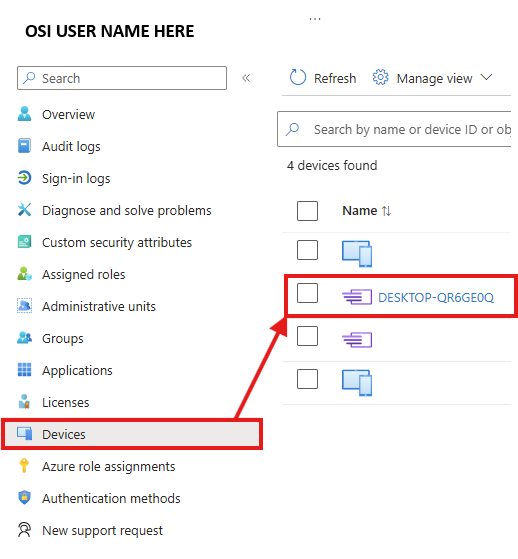 Steps 6-7
Was this article helpful?
That’s Great!
Thank you for your feedback
Sorry! We couldn't be helpful
Thank you for your feedback
Feedback sent
We appreciate your effort and will try to fix the article