Beacon Settings for The HP Printers
For the Ticket's record and to be more specific, the fix appears to be to change the print settings on each computer to explicitly identity the printers on the network and not to rely upon the "WSD" auto-discovery protocol.
OSI Beacon Printers
| IP ADDRESS | NAME | MAC ADDRESS | LOCATION |
| 192.168.1.150 | HP49ADA4 | 5C-60-BA-49-AD-A5 | EAST - Jeff and Peter side of Office |
| 192.168.1.172 | HP431CC3 | 7C-4D-8F-43-1C-C4 | WEST - Main side of Office |
| 192.168.1.24 | (Toshiba e2525AC) MFP16152049 | 00-80-91-F6-75-F1 | West - Main Side of the Office |
To Ensure good connectivity, make sure the WSD format is unselected under printer properties and assign the TCP/IP protocol.
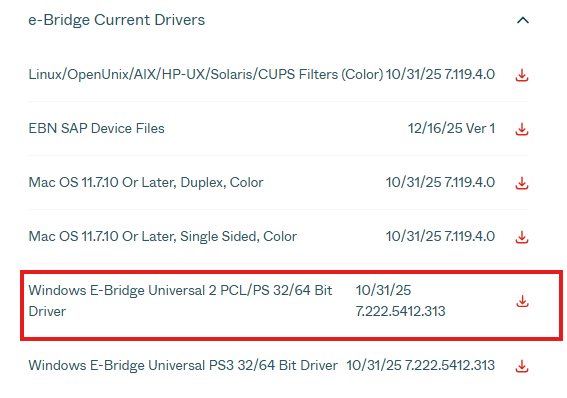
To ensure that Toshiba works for user. Make sure to install driver: https://business.toshiba.com/product/e-studio2525ac#downloads
Was this article helpful?
That’s Great!
Thank you for your feedback
Sorry! We couldn't be helpful
Thank you for your feedback
Feedback sent
We appreciate your effort and will try to fix the article