Hi May,
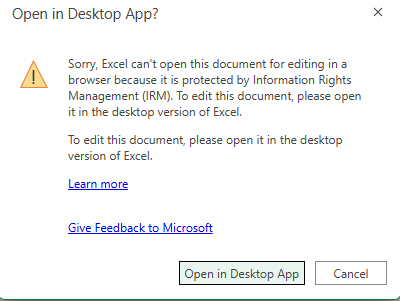
I used the password issue as an example of certain features (when turned on) that require you to open the file in the full version of Excel and not the web app. The same is true for Information Rights Management. That is a way of further restricting access to the file.
I would ask the last person to edit the file if they intentionally enabled IRM or if it was a mistake. One way of the other, you can remove IRM using these steps:
Open Space Institute Helpdesk
On Wed, 22 Oct at 8:49 AM , May May Cheng <mcheng@osiny.org> wrote:It’s created internally and doesn’t require any password to open.From: Open Space Institute Helpdesk <techsupport@osiny.org>
Sent: Wednesday, October 22, 2025 8:48 AM
To: May May Cheng <mcheng@osiny.org>
Cc: Mike Baden <mbaden@osiny.org>
Subject: Re: [#21296] Excel - Information Rights ManagementHi May,Some security features for Office applications still do not translate to the web versions. For example, if a document is protected by a password, you still need to use the full version of Word or Excel (rather than the web app) to open them.Did someone at OSI create this spreadsheet or is it from an external party?Click here to view your request online.Open Space Institute Helpdesk

Was this article helpful?
That’s Great!
Thank you for your feedback
Sorry! We couldn't be helpful
Thank you for your feedback
Feedback sent
We appreciate your effort and will try to fix the article